
The retirement countdown widget for iPhone
By Kevin Lan · Updated October 2026
A retirement countdown widget keeps the time until you retire on your home screen, so your goal is in view every time you glance at your phone. This one counts down to the date your money is projected to reach financial independence, not a date you type in, and shows how far along you are.
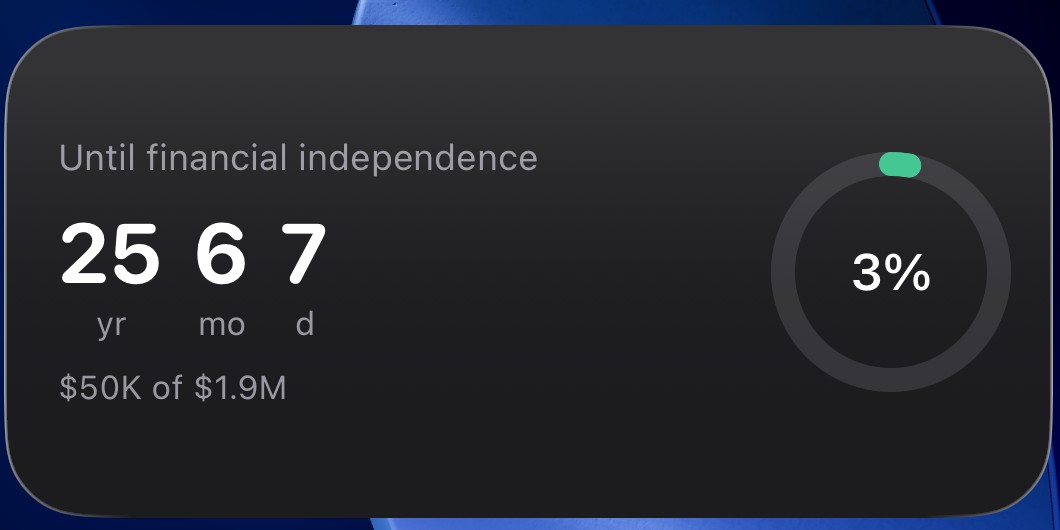
What the widget shows
The home-screen widget shows the years, months, and days until your projected financial-independence date, alongside your progress toward your FIRE number. The date is not one you enter. The app computes it from your age, investments, yearly contributions, spending, and expected return, so the countdown reflects when your portfolio is actually on track to fund your retirement.
It comes in three home-screen sizes and three Lock Screen shapes, and every one reads the same computed date:
- Small: the headline countdown and your progress toward your FIRE number.
- Medium: the countdown plus your saved amount against your FIRE number.
- Large: everything at a glance: the countdown, your progress, your balance against your FIRE number, the target month, and your next milestone (each whole year to go, then the final 200, 100, 30, and 7 days and the last day).
- Lock Screen: a rectangular or circular countdown below the clock, or a one-line countdown above it.
The Countdown style is free. Pro adds a Progress ring and a Target date style, and lets you pin a widget to a specific FIRE type, for example a Coast FIRE countdown on one widget and Fat FIRE on another.
Every home-screen size and style comes with a free choice of background. Graphite (always dark, the default) matches the countdown card inside the app; System (light or dark) uses Apple’s standard widget background so it sits evenly with your other widgets. To switch, touch and hold the widget, tap Edit Widget, and change Background. Lock Screen widgets are drawn by iOS and don’t use this setting.
It moves as your net worth grows
Because the date is an output of the math, it changes when your numbers change. Update your net worth after a strong month and the app recomputes your financial-independence year; the widget follows. The number on your home screen stays tied to your real progress instead of a fixed guess, which is what turns a one-time calculation into something you check each week.
An optional monthly check-in helps with that. On the 1st of each month, the app reminds you to update your investments so the date and the widget stay current, and it skips the reminder if you updated in the last 10 days. Milestone reminders mark each year to go, the final days, and the points where your plan projects you at 25%, 50%, and 75% of your FIRE number. Both are free, both are scheduled on your phone, and you can turn either off in Settings.
On your home screen
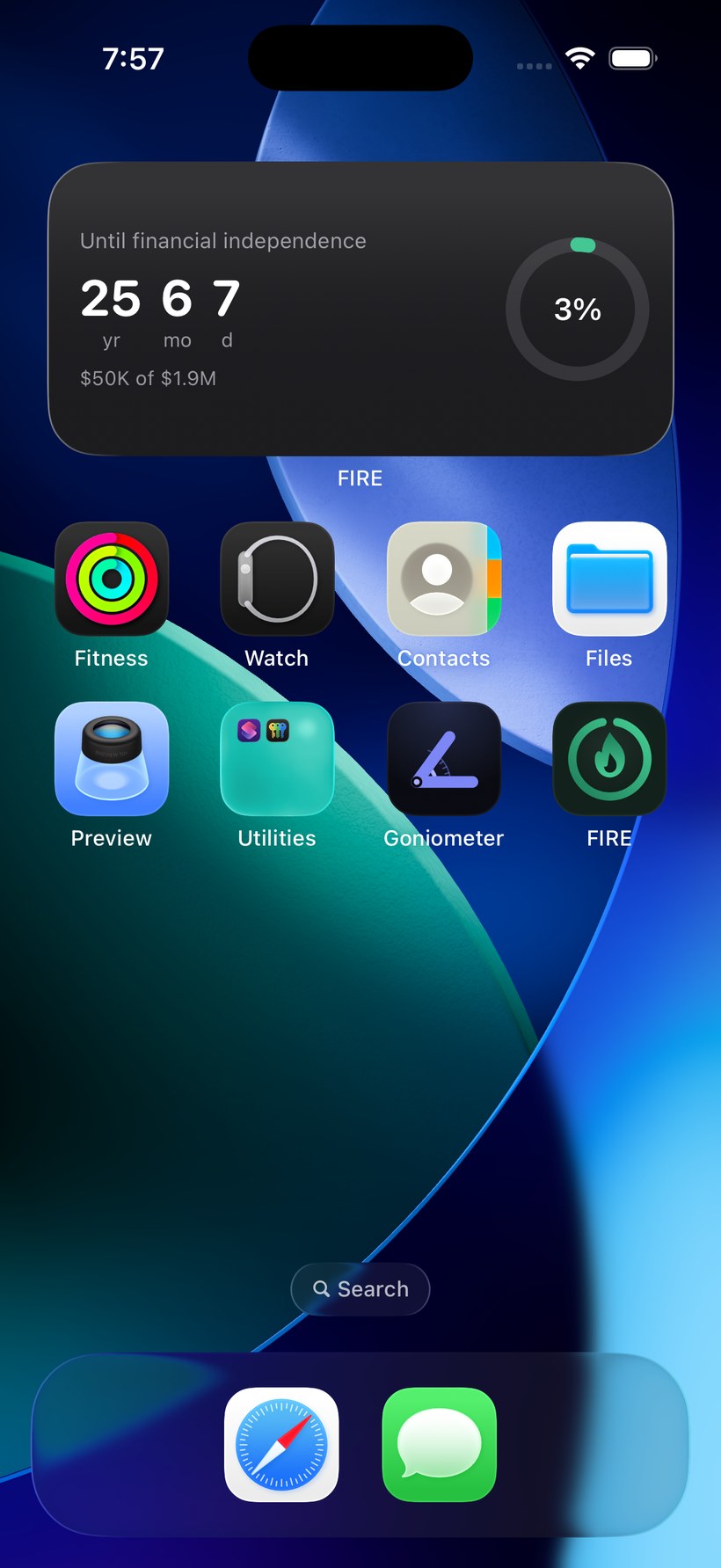
iOS does not let an app place its own widget, so you add it once from the widget gallery. Set your plan in the app first so the widget has a date to count down to, then:
- Touch and hold an empty area of the Home Screen until the icons jiggle.
- Tap Edit in the top corner, then Add Widget.
- Search for FIRE and select it.
- Swipe to choose the small, medium, or large size, then tap Add Widget.
- Place it where you want it and tap Done. It starts counting down to your computed FIRE date right away.
To keep a short countdown on your Lock Screen instead:
- Touch and hold the Lock Screen, tap Customize, and choose Lock Screen.
- Tap the widget area below the clock (or the date above it for the one-line version), then select FIRE.
- Choose the rectangular, circular, or inline widget and tap Done.
Free to set up, private by design
Finding your FIRE number and putting the countdown widget on your home screen are free. The deeper planning tools (Monte Carlo, scenarios, Social Security and pensions) are an optional one-time Pro unlock, not a subscription. What you enter stays on your device with no account and no analytics, and the App Store privacy label is Data Not Collected. Try the free web calculator below to see your number and date, then add the widget when you want it in view.
References
- Investopedia. Financial Independence, Retire Early (FIRE): a definition. investopedia.com
- Bengen WP. Determining withdrawal rates using historical data. Journal of Financial Planning. 1994;7(4):171–180. The paper that introduced the 4% withdrawal guideline.
See your date, then put it on your home screen
Find the year you reach financial independence here. The app turns it into the countdown widget.
No account, no ads, and we never see your numbers.
Frequently asked questions
Is there a retirement countdown widget for iPhone?
Yes. FIRE: Retirement Calculator includes a home-screen and lock-screen widget that counts down to your financial-independence date. The date is computed from your finances, so the widget reflects your real projected retirement year rather than a date you type in.
How do I add the retirement countdown widget?
Touch and hold an empty area of the Home Screen until the apps jiggle, tap Edit then Add Widget, search for FIRE, pick a size, and tap Add Widget. Set your plan in the app first so the widget has a date to show. iOS does not let an app add its own widget, so this one-time step is done from the widget gallery.
Does the countdown widget update on its own?
The date is recalculated whenever you update your numbers in the app, and the widget reflects the new date and progress. It stays tied to your actual net worth rather than a fixed date you entered once.
Is the countdown widget free?
Yes. The countdown widget and finding your FIRE number are free, with no subscription. Optional Pro adds deeper planning tools as a one-time purchase.
Is there a retirement countdown widget for the Lock Screen?
Yes. Besides the home-screen widget, a countdown sits on your Lock Screen: a rectangular or circular widget below the clock, or a one-line countdown above it. Your financial-independence date stays visible without opening the app.
Why isn't my countdown widget updating?
The widget shows the date the app computed the last time you updated your numbers. Open the app and update your investments, and the widget refreshes with the new date. If it still looks stale, remove it and add it again from the widget gallery.
Can I change the widget's background?
Yes, for free. Touch and hold the widget, tap Edit Widget, and set Background to Graphite (always dark, the default, matching the app) or System (light or dark, Apple's standard widget background). It works on every home-screen size and style. Lock Screen widgets are drawn by iOS, so the setting doesn't apply there.
Does the countdown widget drain the battery?
No. It refreshes on a schedule iOS manages rather than running continuously, so its effect on battery life is negligible.
